Menu Makeover
Redesigning the menu categorisation and product customisation experience for the Starbucks EMEA app.
Info
Starbucks
2026
2 months
My role
Working in a team of three designers (two mid-level, one lead), I owned the product customisation workstream and redesigned the product page end-to-end, with a particular focus on customisation functionality and usability. I also led UI direction across the project, while my project partner led on research
Research & discovery
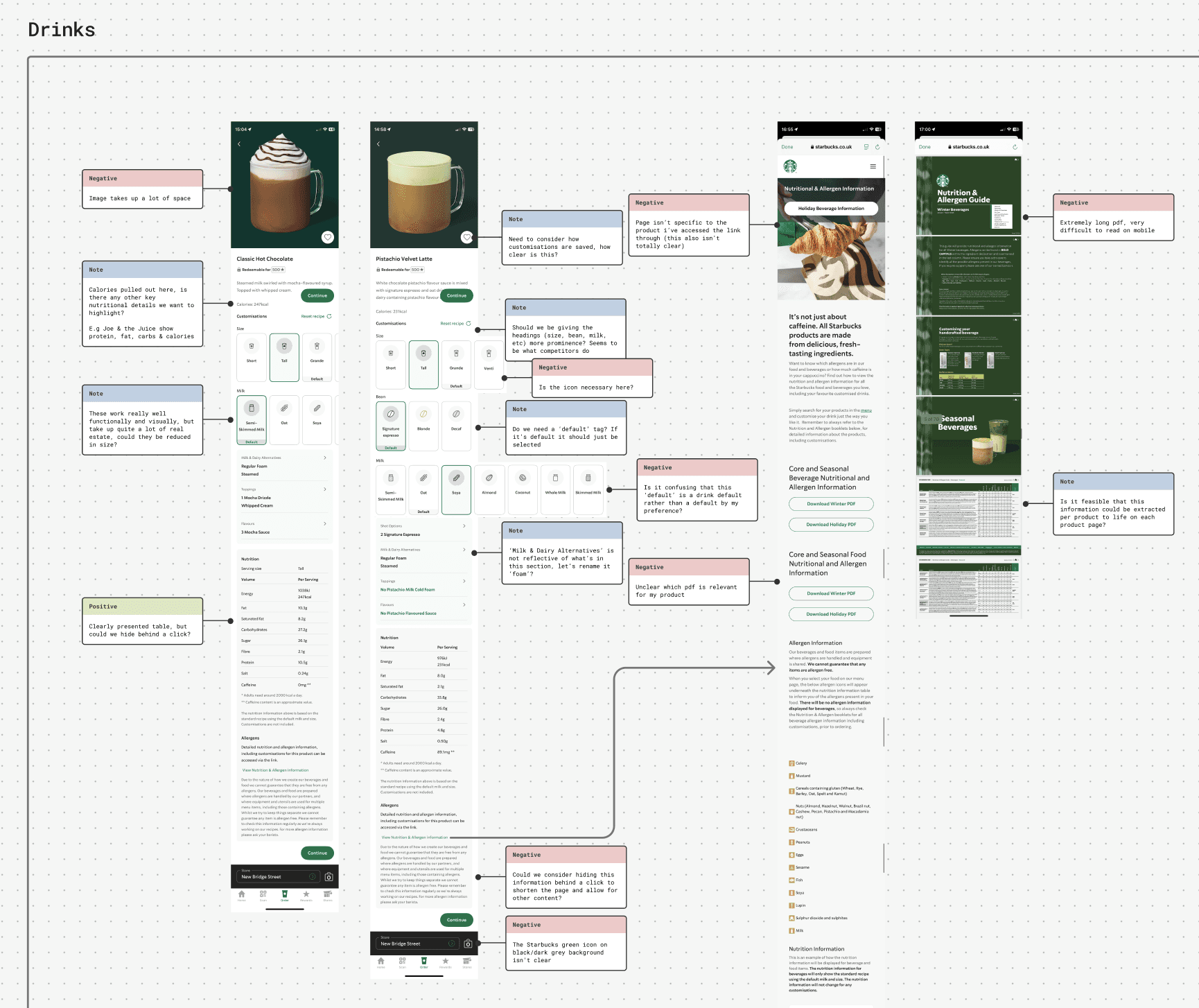
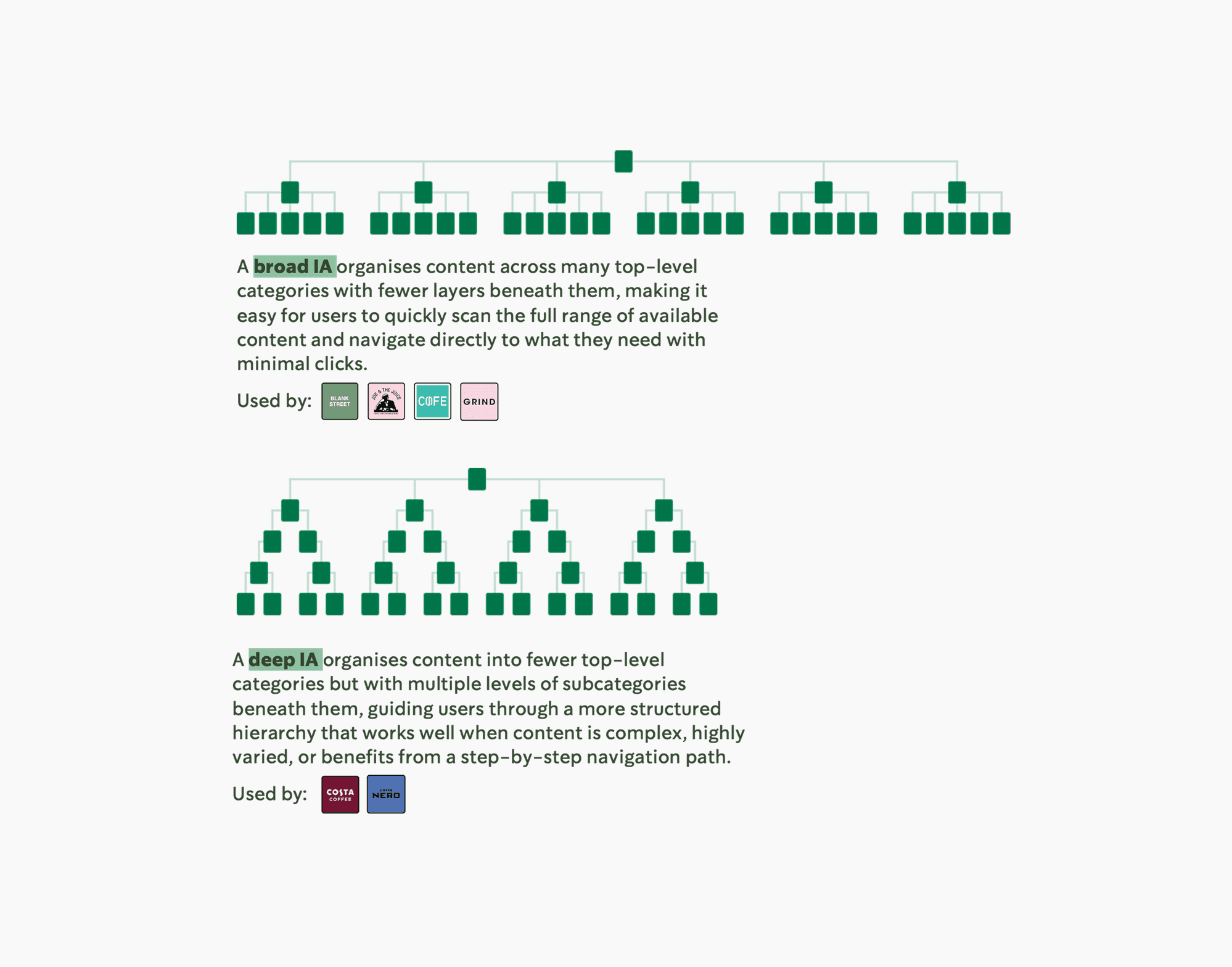
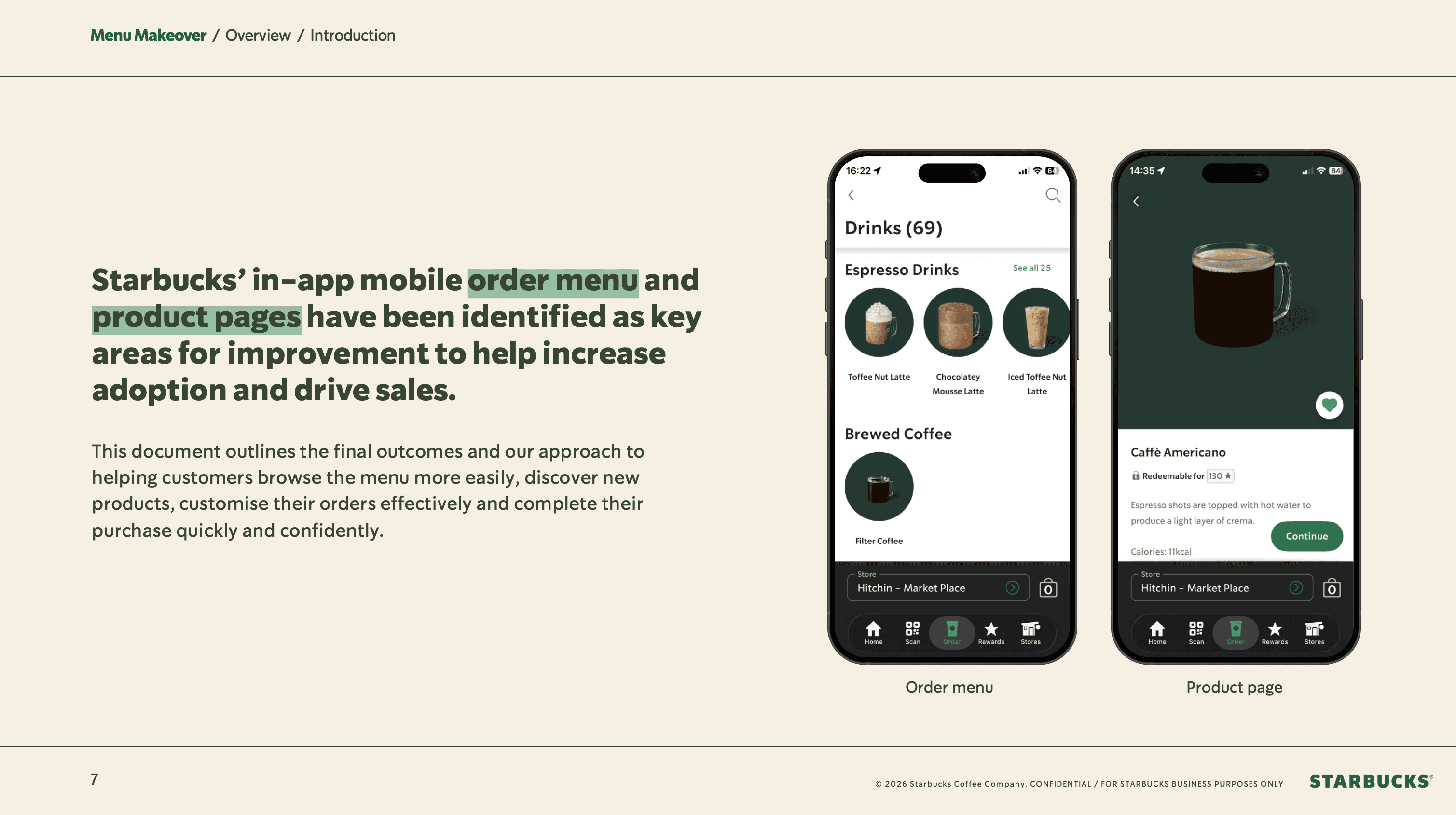
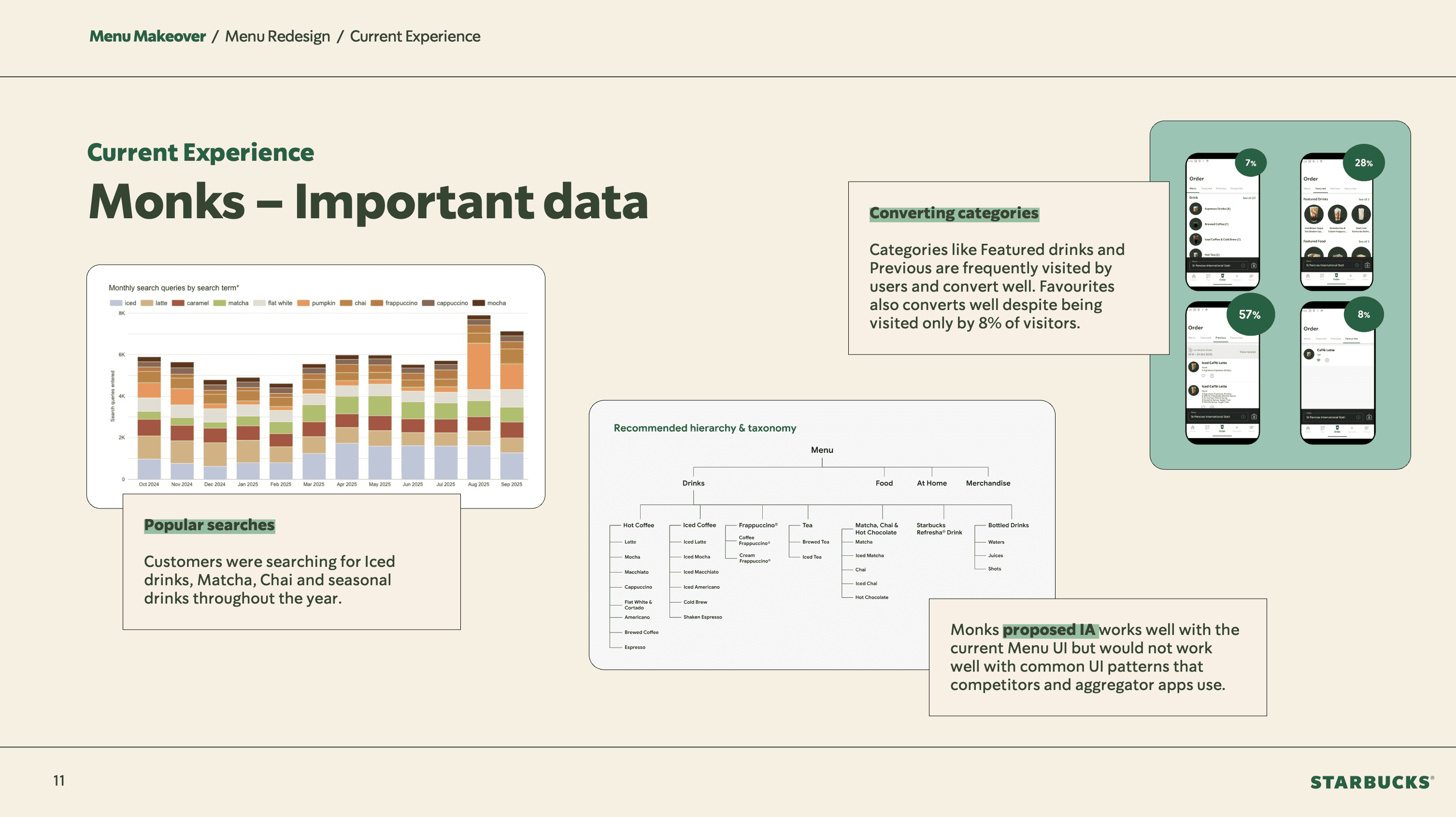
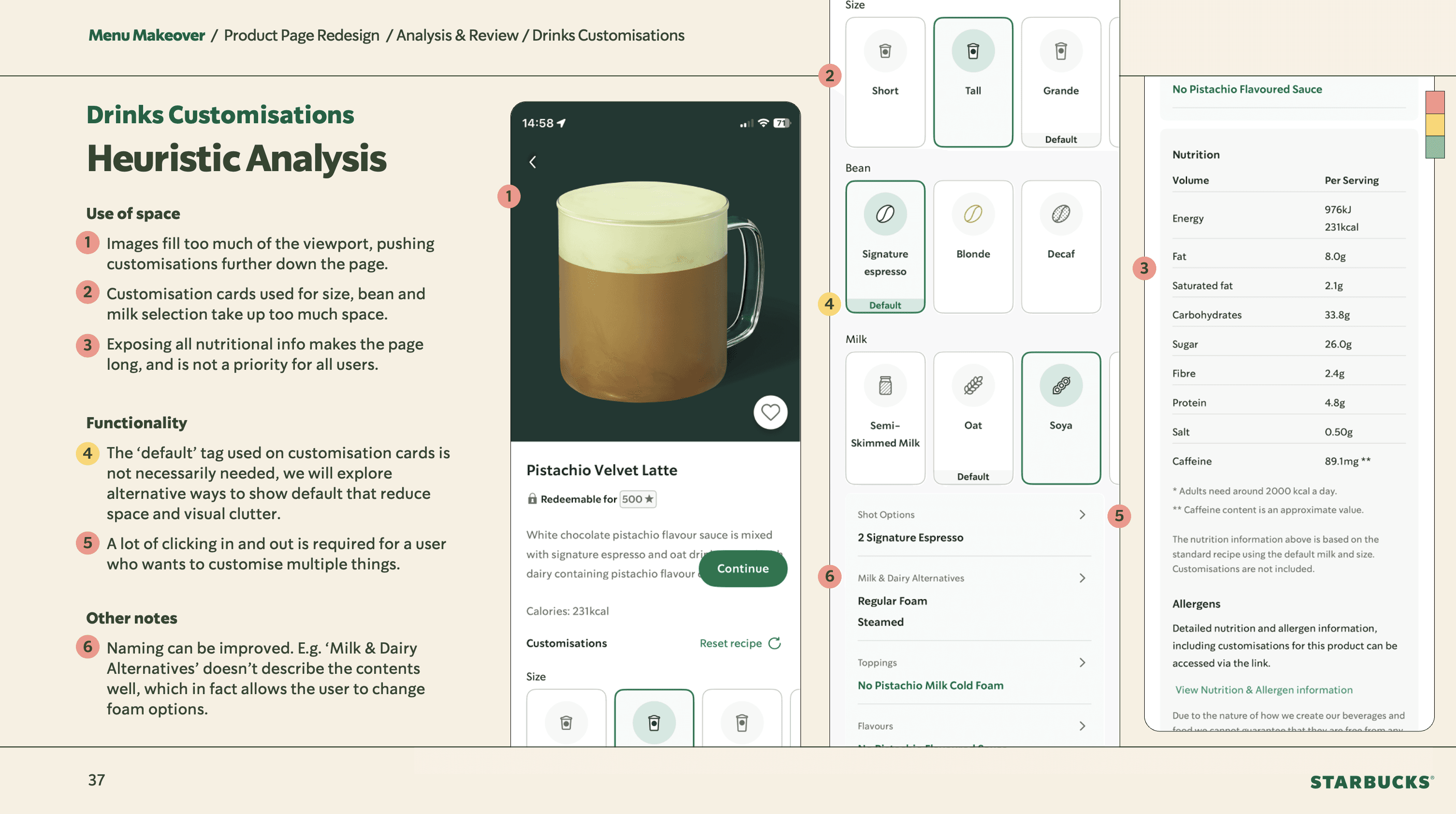
We built on existing menu categorisation research from a third-party agency, supplementing it with our own competitor analysis — split across the two workstreams of menu and product page. On the product page side, I rigorously audited the existing app experience, identifying poor information hierarchies, unclear customisation naming, and areas of user confusion such as ambiguous 'default' states. A particularly useful exercise was distilling all customisation types down to three base functions: a quantity selector, a single select, and a yes/no toggle. For menu categorisation, we ran a tree-testing survey to validate our structural thinking.

Defining the direction
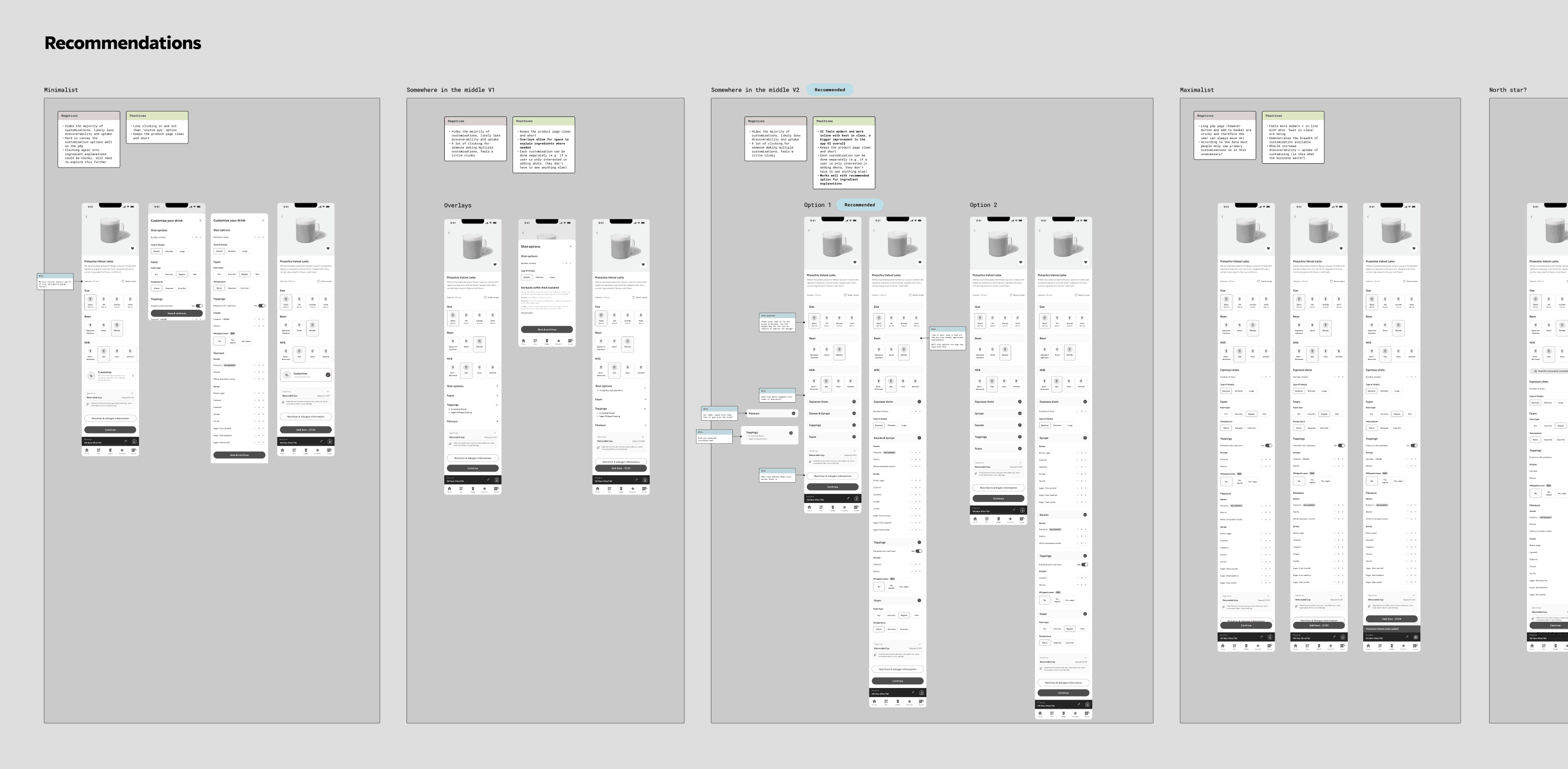
A core belief coming out of research was that housing all customisations directly on the product page — rather than pushing users in and out of multiple overlays — was essential to modernising the experience. Given the breadth of customisation options available, this was technically challenging, but it became the defining differentiator between old and new. I also saw the project as an opportunity to significantly update the app's UI, which felt outdated and clunky relative to the brand.
Process & exploration
Images
Customisation
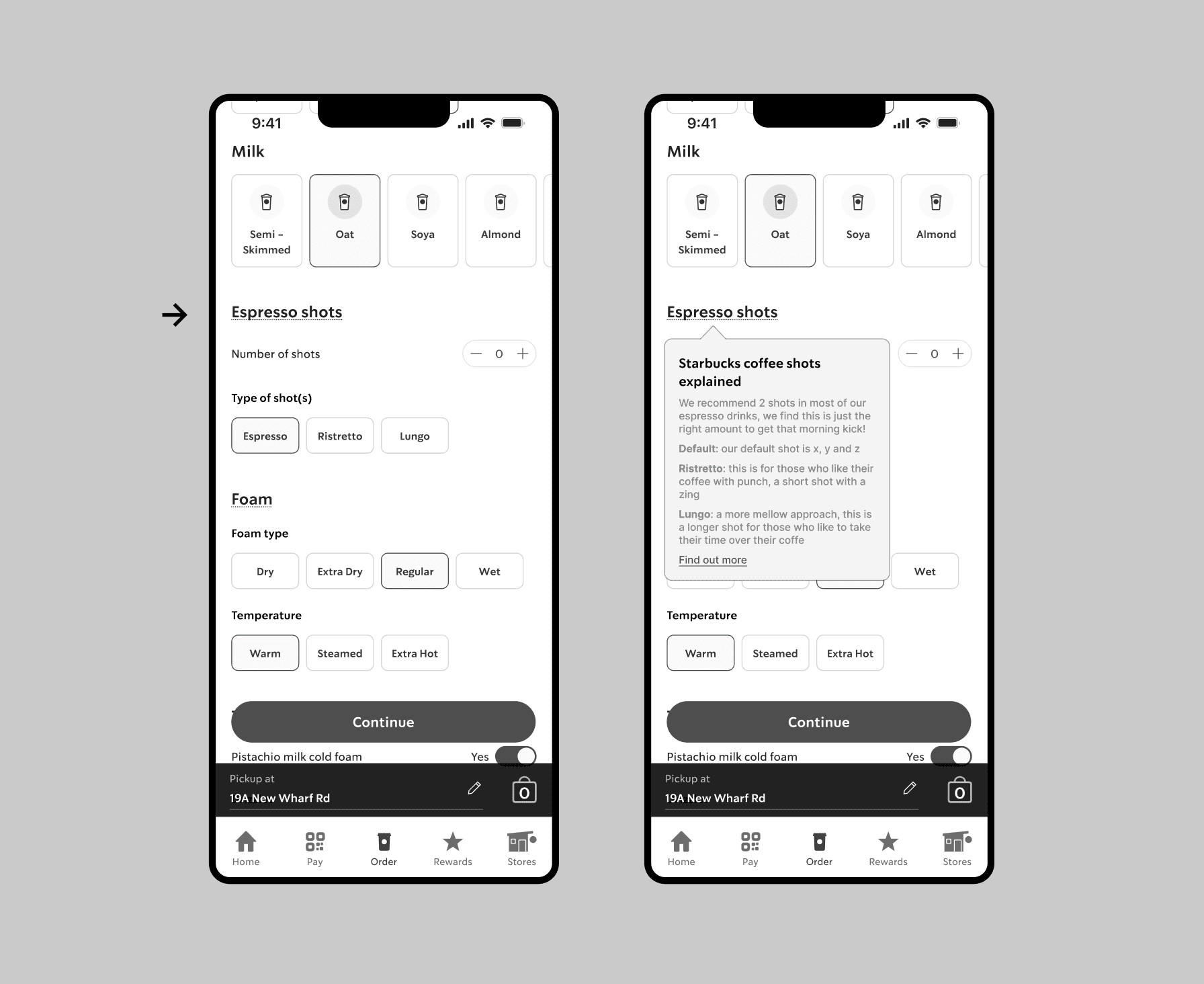
Ingredient explanations
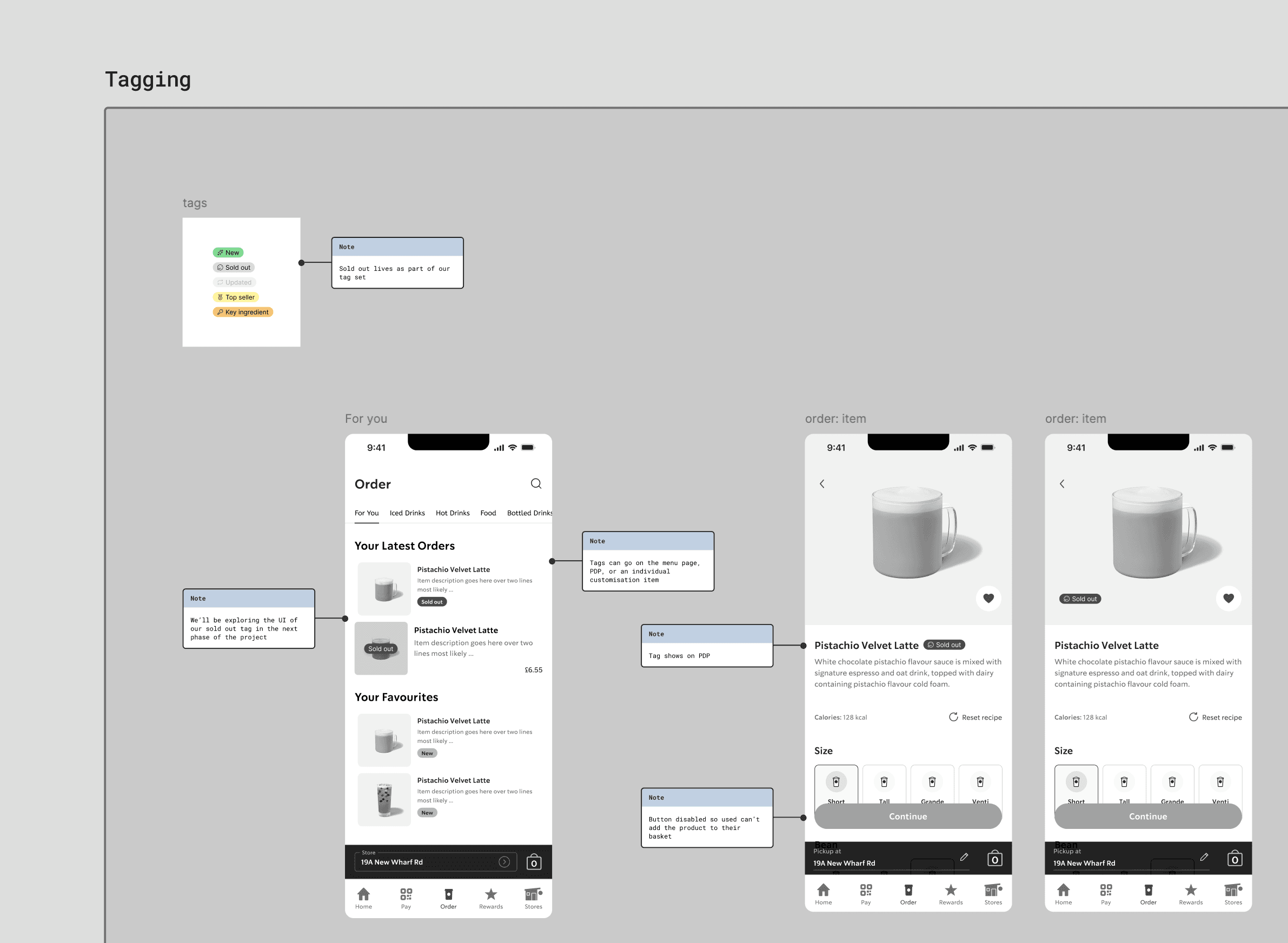
Out of Stock
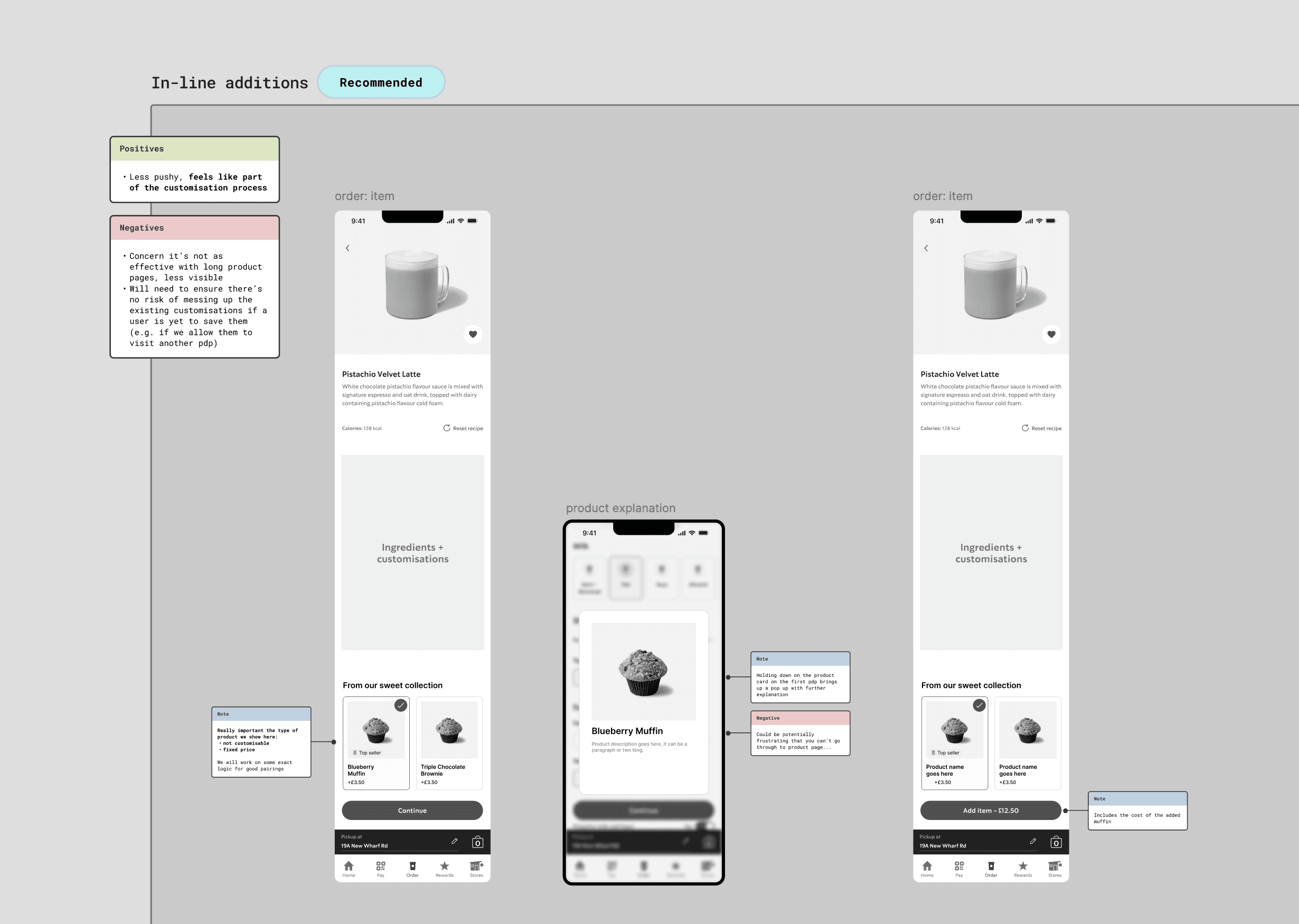
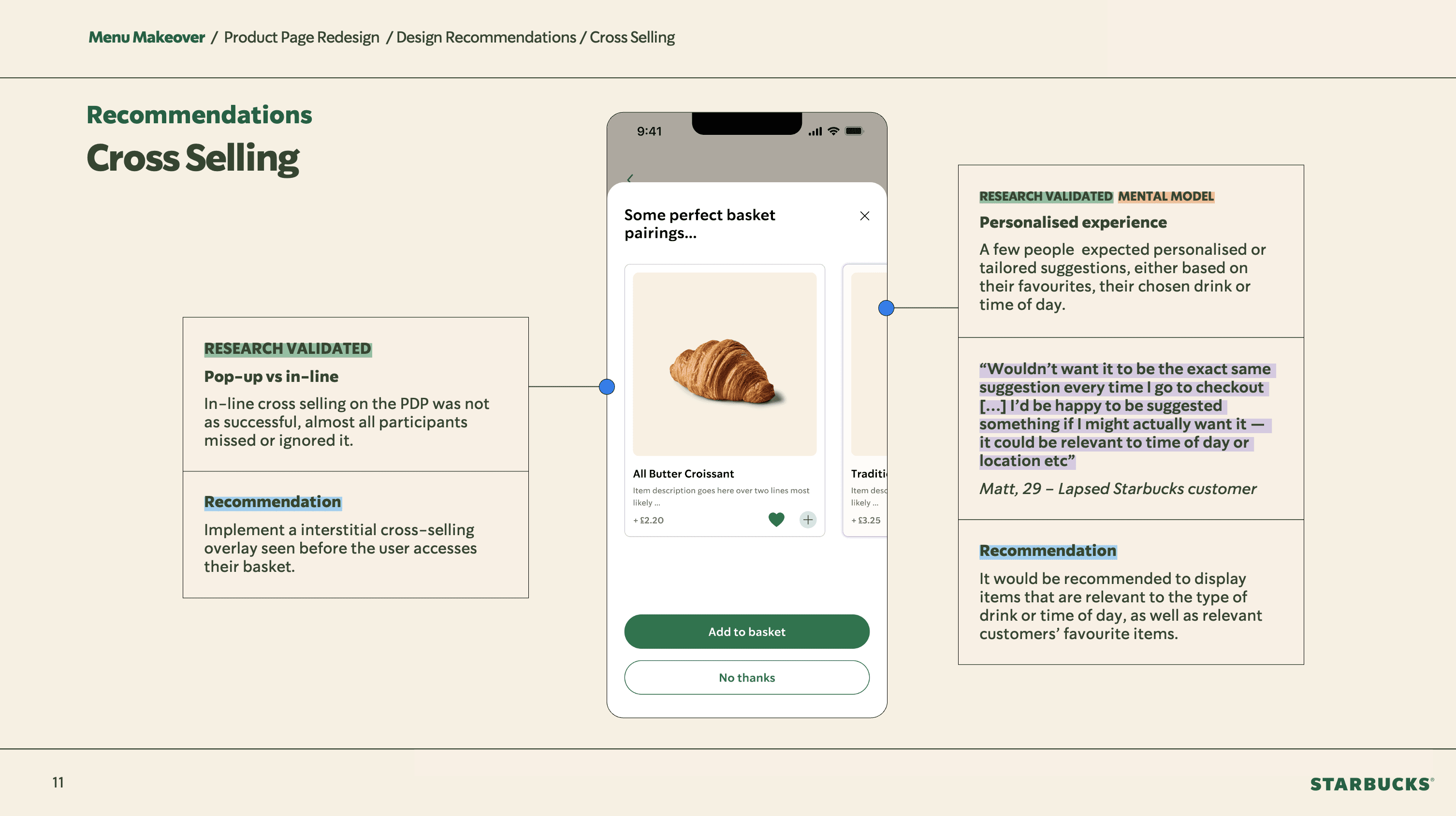
Cross-Selling
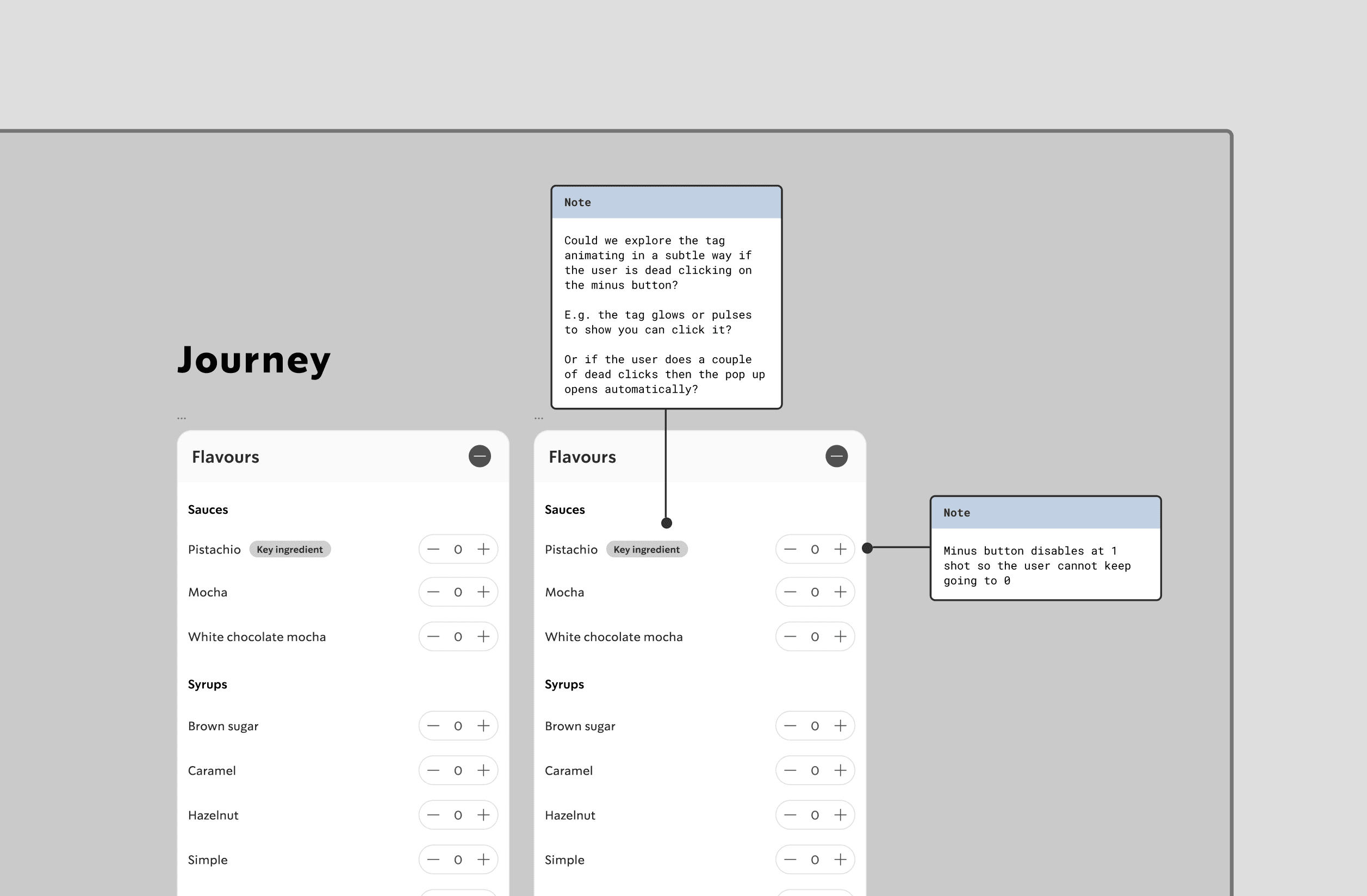
Key/Locked Ingredients
Testing & iteration
We ran guerilla-style usability testing with 14 participants, using a high-fidelity prototype built in Figma. Using variables extensively, I created a near-fully realistic customisation flow — allowing participants to interact with it as though it were a live app, which produced sharper, more reliable insights.
A key finding was that users wanted the autonomy to remove 'key ingredients' — those the client had designated as essential to the drink. So rather than locking those customisations as we’d thought would be the best solution, we pivoted and designed an alert that warns users when they're about to significantly alter a drink's core composition. This solution also aligned more authentically with Starbucks' brand identity and its well-known culture of giving customers total control over their order.
Design we tested
Updated design
Final deliverables
We ran guerilla-style usability testing with 14 participants, using a high-fidelity prototype built in Figma. Using variables extensively, I created a near-fully realistic customisation flow — allowing participants to interact with it as though it were a live app, which produced sharper, more reliable insights.
A key finding was that users wanted the autonomy to remove 'key ingredients' — those the client had designated as essential to the drink. So rather than locking those customisations as we’d thought would be the best solution, we pivoted and designed an alert that warns users when they're about to significantly alter a drink's core composition. This solution also aligned more authentically with Starbucks' brand identity and its well-known culture of giving customers total control over their order.
Outcome & impact
We ran guerilla-style usability testing with 14 participants, using a high-fidelity prototype built in Figma. Using variables extensively, I created a near-fully realistic customisation flow — allowing participants to interact with it as though it were a live app, which produced sharper, more reliable insights.
A key finding was that users wanted the autonomy to remove 'key ingredients' — those the client had designated as essential to the drink. So rather than locking those customisations as we’d thought would be the best solution, we pivoted and designed an alert that warns users when they're about to significantly alter a drink's core composition. This solution also aligned more authentically with Starbucks' brand identity and its well-known culture of giving customers total control over their order.
Refelction
We ran guerilla-style usability testing with 14 participants, using a high-fidelity prototype built in Figma. Using variables extensively, I created a near-fully realistic customisation flow — allowing participants to interact with it as though it were a live app, which produced sharper, more reliable insights.
A key finding was that users wanted the autonomy to remove 'key ingredients' — those the client had designated as essential to the drink. So rather than locking those customisations as we’d thought would be the best solution, we pivoted and designed an alert that warns users when they're about to significantly alter a drink's core composition. This solution also aligned more authentically with Starbucks' brand identity and its well-known culture of giving customers total control over their order.